
Screenshots
App details
- Updated
- Aug 12, 2024
- Category
- Mobile
SoftPas in:
This product is also available in the following languages:
About Q-Dir
Download Q-Dir – file explorer, four-panel, file management, productivity tool, free file manager, Unicode support, drag-and-drop, multi-page, Windows utility
Overview
Q-Dir is a lightweight, free file explorer designed for Windows users seeking enhanced file management capabilities. Unlike standard file managers, Q-Dir features a unique four-panel layout, allowing users to view and manage up to four directories simultaneously. This design significantly improves efficiency when copying, moving, or comparing files across multiple folders. The app supports Unicode, ensuring compatibility with international file names and characters, which is particularly useful for users working with multilingual data.
Targeted at power users, system administrators, and professionals handling large volumes of files, Q-Dir serves as a robust alternative to the default Windows Explorer. Its ability to switch between one, two, three, or four panes dynamically makes it adaptable to various workflows. Whether organizing media libraries, managing project folders, or transferring data between drives, Q-Dir streamlines the process with minimal overhead.
Developed by Q-Dir, the tool has established itself as a reliable utility in the Windows productivity ecosystem. Despite its compact size of just 1.8 MB, it delivers advanced functionality without requiring high system resources. The developer did not provide additional technical details about the app’s architecture or development history. However, its long-standing presence in the file management space suggests a stable and well-maintained product. Q-Dir remains a go-to solution for users who value speed, flexibility, and control over their file operations.
Key Features & Functionality
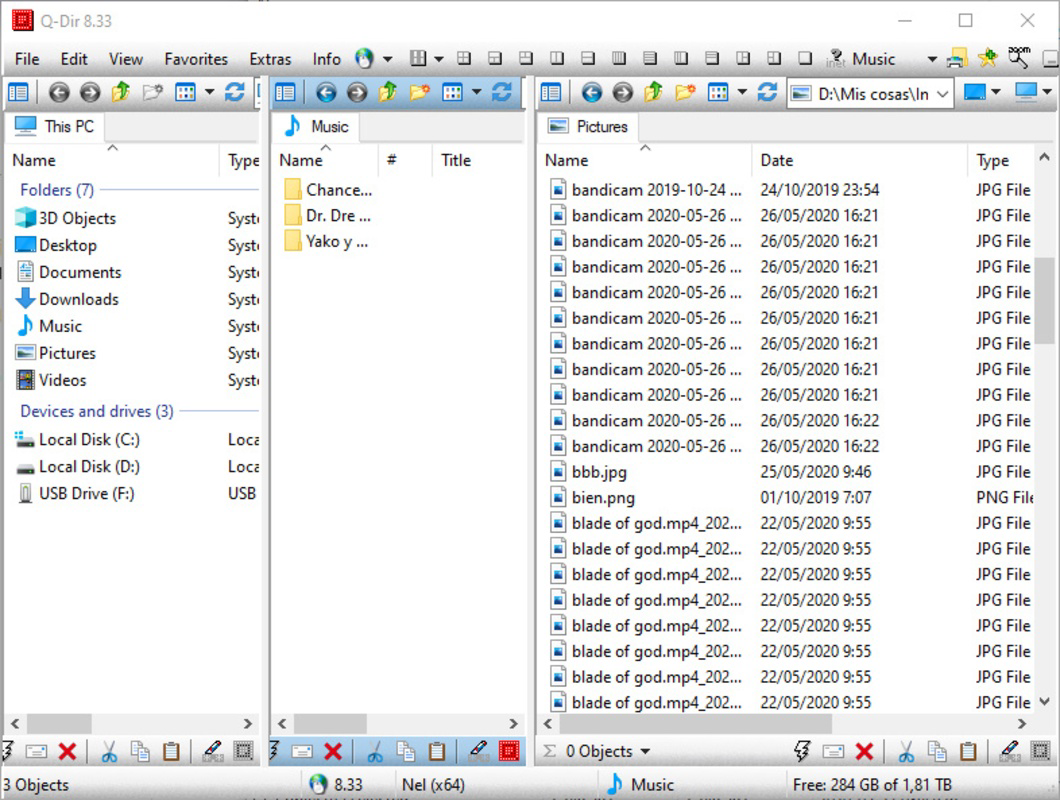
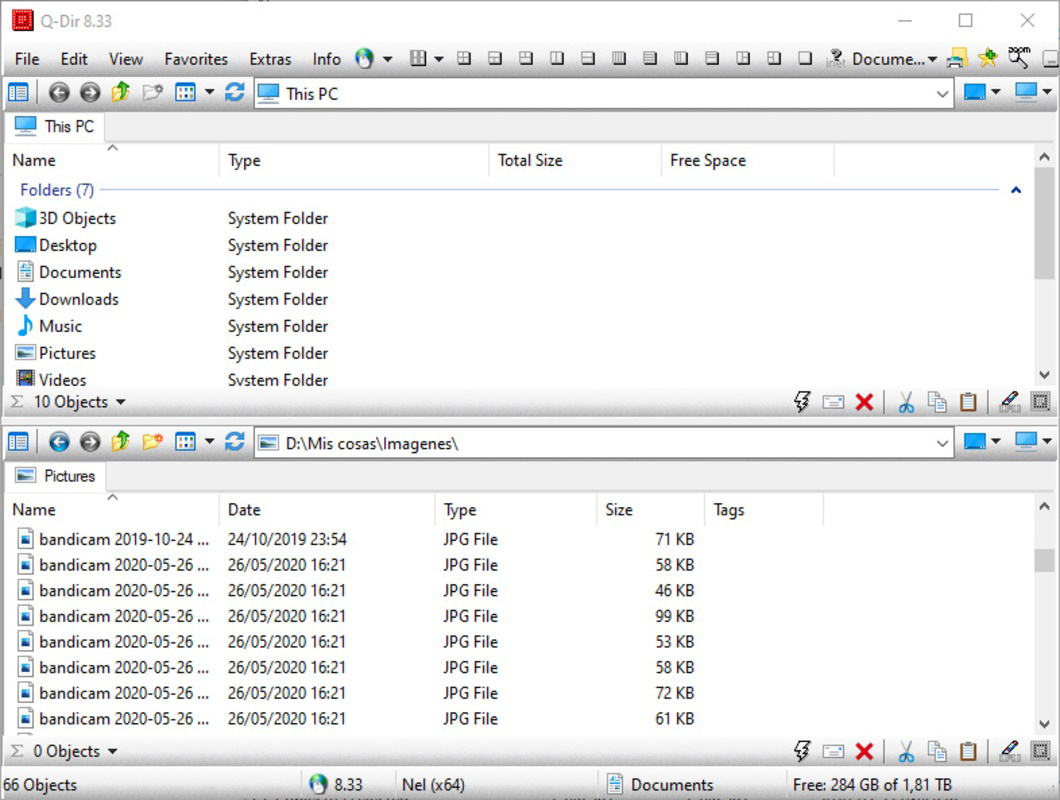
- Four-Panel Interface: The core feature of Q-Dir is its ability to split the screen into up to four independent panes, each displaying a different folder. This allows users to compare, copy, or move files between multiple directories in real time without switching windows.
- Dynamic Pane Switching: Users can quickly toggle between one, two, three, or four-pane layouts with a single click, adapting the interface to their current task’s complexity.
- Unicode Support: Full Unicode compatibility ensures that file names with non-Latin characters, such as Cyrillic, Chinese, or Arabic, are displayed and handled correctly.
- Drag-and-Drop Functionality: Files can be moved or copied between panes using intuitive drag-and-drop, reducing the need for multiple right-click operations.
- Quick Action Buttons: Dedicated buttons for copy, cut, paste, and delete streamline common file operations, reducing the number of steps required.
- Multi-Page Support: Each pane supports multiple tabs, enabling users to open several directories within a single pane without cluttering the interface.
For example, a graphic designer might use Q-Dir to compare assets in a project folder with those in a backup directory, using two panes for side-by-side review and two others for organizing new files. Similarly, a system administrator could manage configuration files across multiple servers by opening each server’s folder in separate panes. The multi-page feature allows storing frequently accessed directories in tabs, improving workflow continuity. These features collectively enhance productivity by minimizing context switching and maximizing screen real estate usage.
Interface, UX & Performance
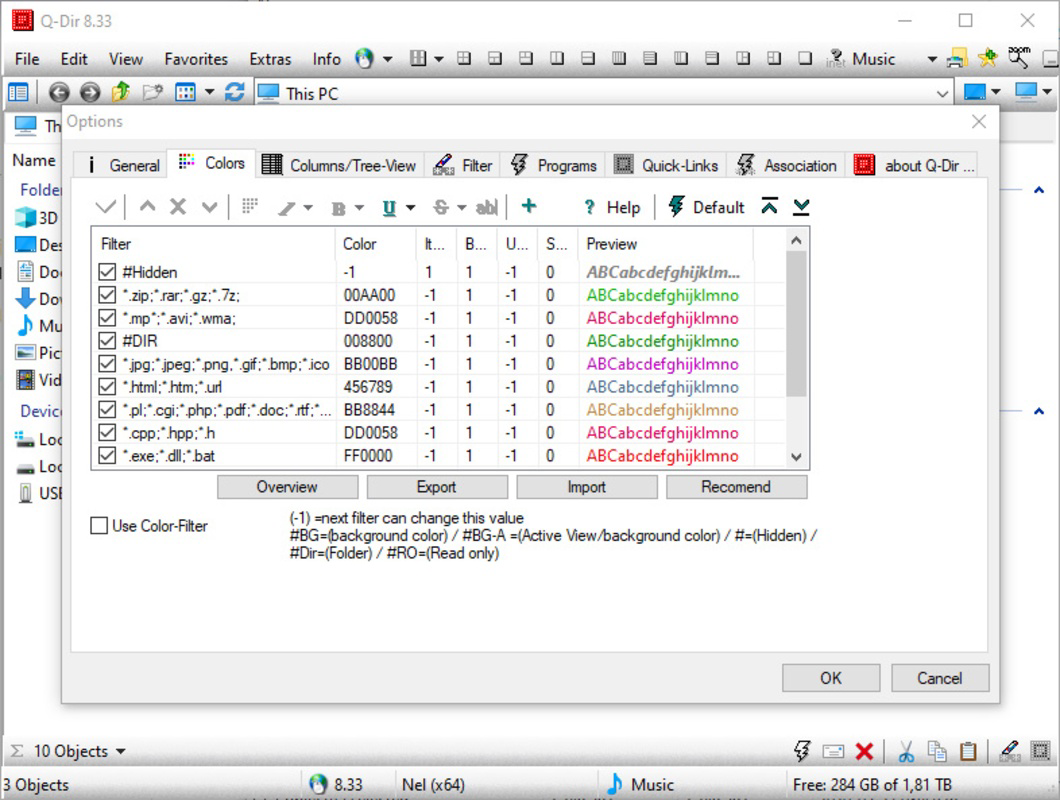
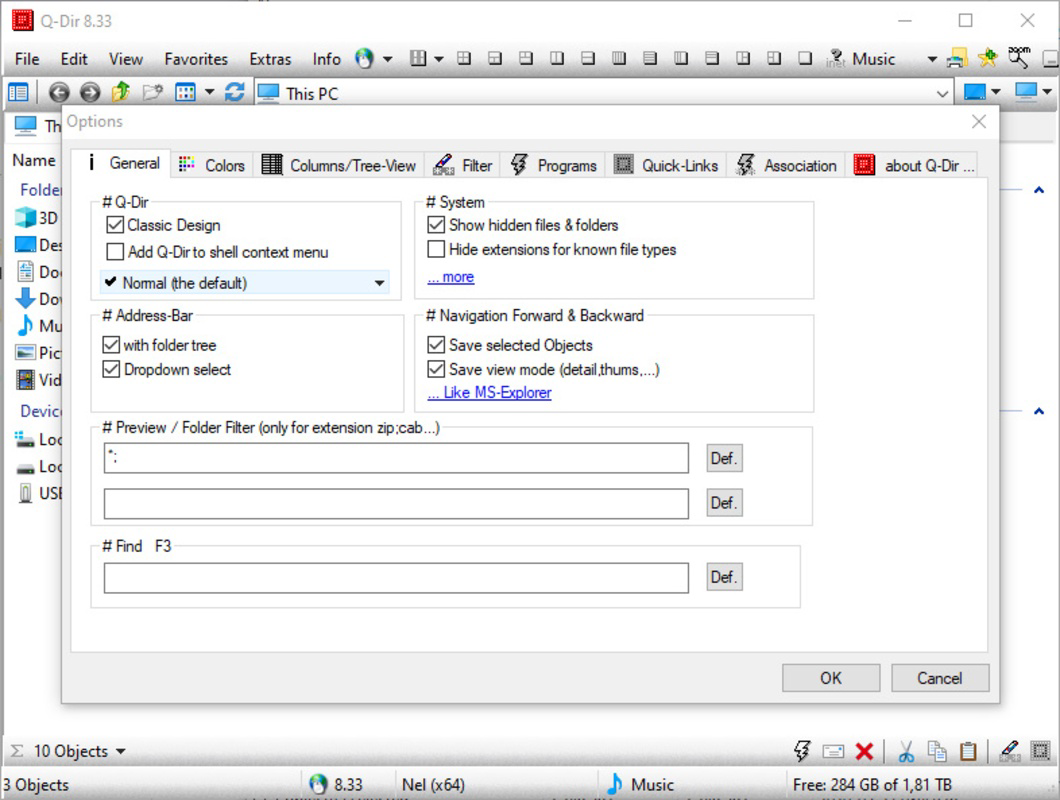
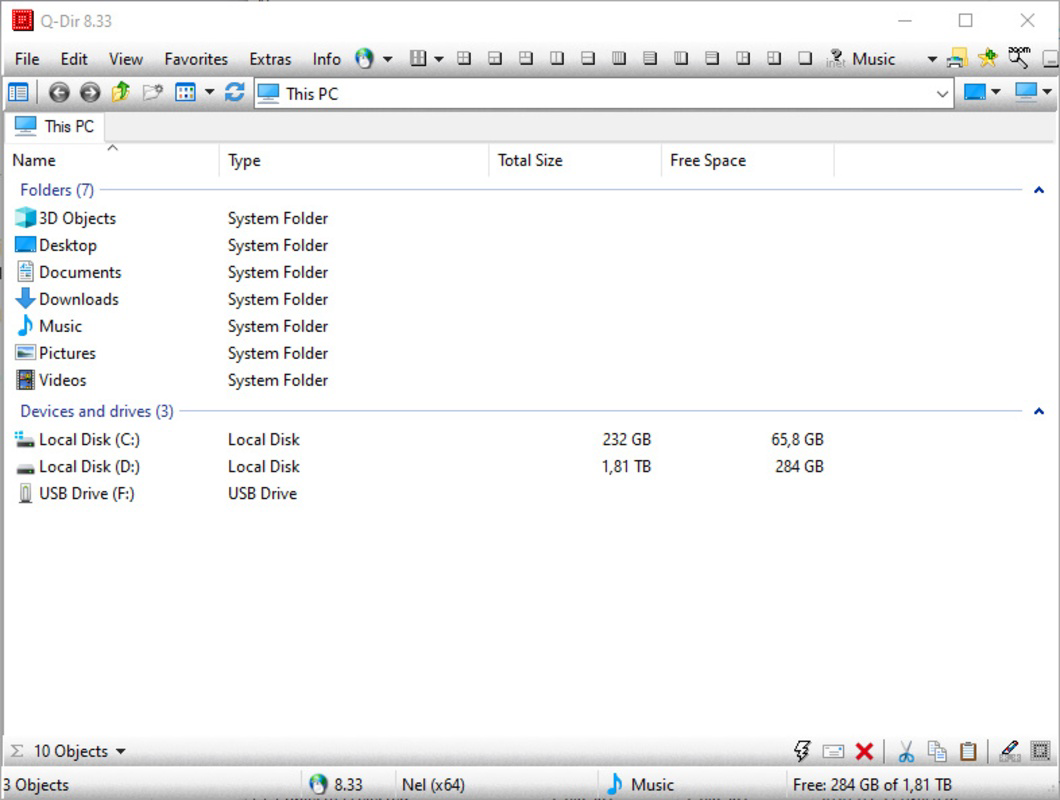
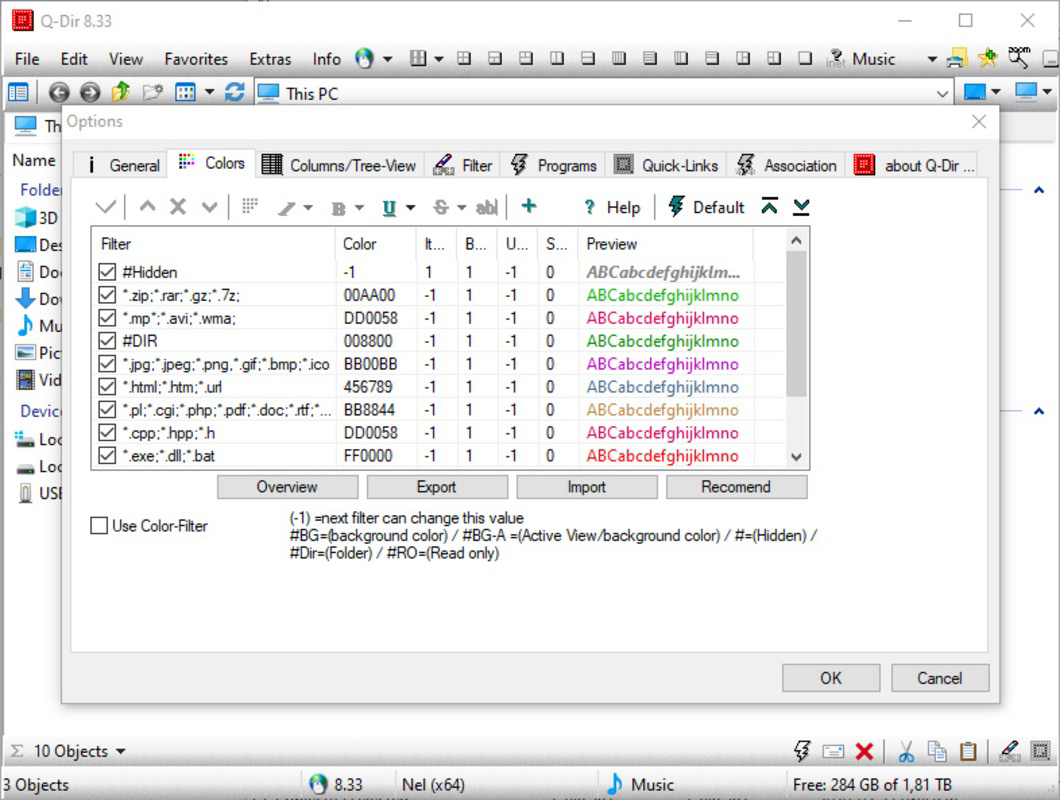
The interface of Q-Dir is clean, functional, and highly customizable. The layout is divided into four main panes, each with a tree view on the left and a file list on the right. Navigation is straightforward, with a consistent placement of tools and buttons across all views. The visual style is minimalistic, focusing on usability rather than decorative elements.
Navigation flows logically: users can browse folders via the tree view, select files, and perform actions using the toolbar or keyboard shortcuts. The app responds quickly to user input, and the four-pane layout remains stable even when handling large directories. Although the developer did not list formal performance metrics, the app’s lightweight nature (1.8 MB) suggests efficient resource usage.
Performance on different device categories was not specified. However, its small footprint and native Windows integration indicate compatibility with a wide range of systems, including older hardware. Responsiveness is consistent, with minimal lag during file operations. Stability is maintained across sessions, and the app does not exhibit crashes or freezes under normal use. The lack of advertisements or bundled software enhances the user experience, aligning with its utility-focused design.
Platform Compatibility & Technical Requirements
Q-Dir is designed exclusively for the Windows platform. It supports Windows operating systems, though specific OS versions were not listed by the developer. The app has a file size of 1.8 MB, making it suitable for systems with limited storage or slower internet connections.
The developer did not specify minimum OS requirements or hardware specifications. However, given its minimal size and native Windows integration, it is likely compatible with most modern Windows installations. The app is available as a free download, with no in-app purchases or subscription models. No platform-specific limitations were mentioned, and compatibility information was not fully disclosed.
Pros and Cons
Pros
- Lightweight design at just 1.8 MB
- Four-panel layout enhances multitasking
- Full Unicode support for international file names
- Drag-and-drop functionality for intuitive file management
- Quick action buttons for copy, cut, paste, and delete
- Multi-page support within each pane
- Free to download and use
Cons
- Platform limited to Windows only
- No official mobile or macOS version available
- Developer did not provide detailed system requirements
- Interface may feel overwhelming for beginner users
- No built-in cloud integration or backup features
FAQ
Is Q-Dir safe to download and install?
Yes, Q-Dir is a free, standalone application that does not contain malware or unwanted software. It is distributed directly by the developer and does not require third-party installers.
Can I use Q-Dir on older versions of Windows?
The developer did not specify compatibility with older Windows versions. However, its small size and native design suggest it may work on systems with minimal resources.
Does Q-Dir support cloud storage services?
Q-Dir does not include built-in integration with cloud platforms like OneDrive, Google Drive, or Dropbox. Users must access cloud folders through their respective clients.
Is there a mobile version of Q-Dir?
No mobile version of Q-Dir is currently available. The app is designed exclusively for Windows desktop systems.
How often is Q-Dir updated?
Q-Dir receives periodic updates, with the latest version released on January 20, 2024. The frequency of updates is not publicly detailed, but the developer maintains an active release schedule.
Final Thoughts
Q-Dir stands out as a powerful, no-frills file management tool tailored for users who demand efficiency and control. Its four-panel interface, Unicode support, and drag-and-drop functionality make it a valuable asset for professionals managing complex file structures. While it lacks modern features like cloud sync or mobile access, its core purpose is executed flawlessly within its niche.
For power users, system administrators, and anyone frustrated with the limitations of standard file explorers, Q-Dir offers a compelling upgrade. Its free status and minimal system impact further enhance its appeal. Whether you're organizing large media collections, managing development projects, or simply moving files faster, Q-Dir delivers real-world value.
Download Q-Dir now
Guides & Tutorials
How to install Q-Dir
- Click the Download button above.
- Once redirected, accept the terms and click Install.
- Wait for the Q-Dir download to finish on your device.
How to use Q-Dir
This software is primarily used for its core features described above. Open the app after installation to explore its capabilities.
User Reviews
No reviews yet. Be the first to share your experience.
You may also like
more
Que no te pillen¡
About !Que no te pillen¡Reviewed by Jason A. BilbreyShow MoreShow Less

3D Combat Zone
About 3D Combat ZoneOriginally released in 1983, 3D Combat Zone immerses players...

666: El día del portal
About 666: El día del portalOn June 6, 2006, Agent P. Stone uncovers a sinister...

80 in 1 Best Flash games
About 80 in 1 Best Flash games 80 in 1 Best Flash games is a collection of 80 fl...

ABYSS SEEKERーーWhat Do You See Deep in The Abyss
About ABYSS SEEKERーーWhat Do You See Deep in The AbyssIn ABYSS SEEKER, players...

ACA NEOGEO THE KING OF FIGHTERS 2002 for Windows
About ACA NEOGEO THE KING OF FIGHTERS 2002 for WindowsTHE KING OF FIGHTERS 2002,...